Local Docker Setup
Install Docker app locally - Docker file download and start the docker engine.
In built Docker Setup Quartz
The quartz repository provides an optimal Docker configuration.
FROM node:22-slim AS builder
WORKDIR /usr/src/app
COPY package.json .
COPY package-lock.json* .
RUN npm ci

FROM node:22-slim
WORKDIR /usr/src/app
COPY --from=builder /usr/src/app/ /usr/src/app/
COPY . .
CMD ["npx", "quartz", "build", "--serve"]
Building and Deploying
Go to the quartz implementation directory and execute the following commands
docker build --tag my-site .the dot represents current directory and it can be replaced with absolute or relative paths
This will create the build in the Docker application like below,
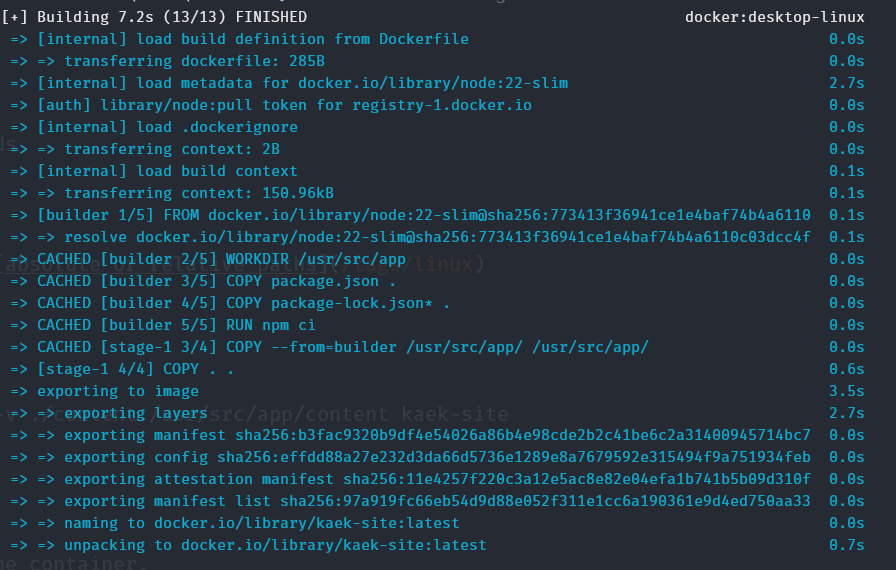
docker run --rm -it -p 8080:8080 -p 3001:3001 -e CHOKIDAR_USEPOLLING=true -v ./content:/usr/src/app/content my-siteThis command instructs the Docker application to,
- Start a new container from the
kaek-siteimage. - Map ports 8080 and 3001 on the host machine to ports 8080 and 3001 in the container.
- Set the environment variable
CHOKIDAR_USEPOLLINGto true. - Mount the
./contentdirectory from the host machine to/usr/src/app/contentwithin the container. - Create an interactive shell session within the container.
This will serve the local quartz development server at http://localhost:8080/
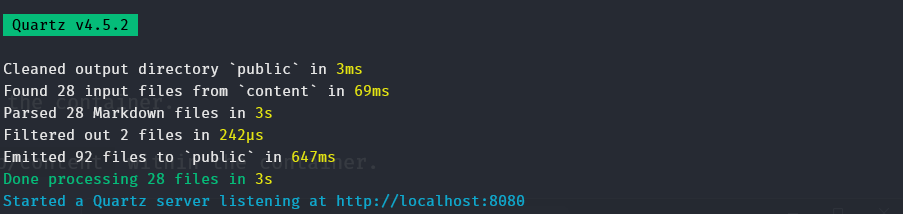
Since the content directory is synced, the updates will be available real time.
Set alias for deploy command
I m using Windows system, hence, I use the below Powershell function to set alias for the deploy method to make it easier to develop locally.
# Docker Alias
function kaek-site {
    docker run --rm -it -p 8080:8080 -p 3001:3001 -e CHOKIDAR_USEPOLLING=true -v ./content:/usr/src/app/content my-site
}
I will use the build and deploy command both using & command like below.
docker build --tag my-site . && my-site Image needs to be rebuilt for any configuration file changes to take effect. Any file deletion under /content might cause the deployment to terminate. In that case, you can redeploy using the alias.
For more docker commands, refer docker CLI toolkit